Leak 1
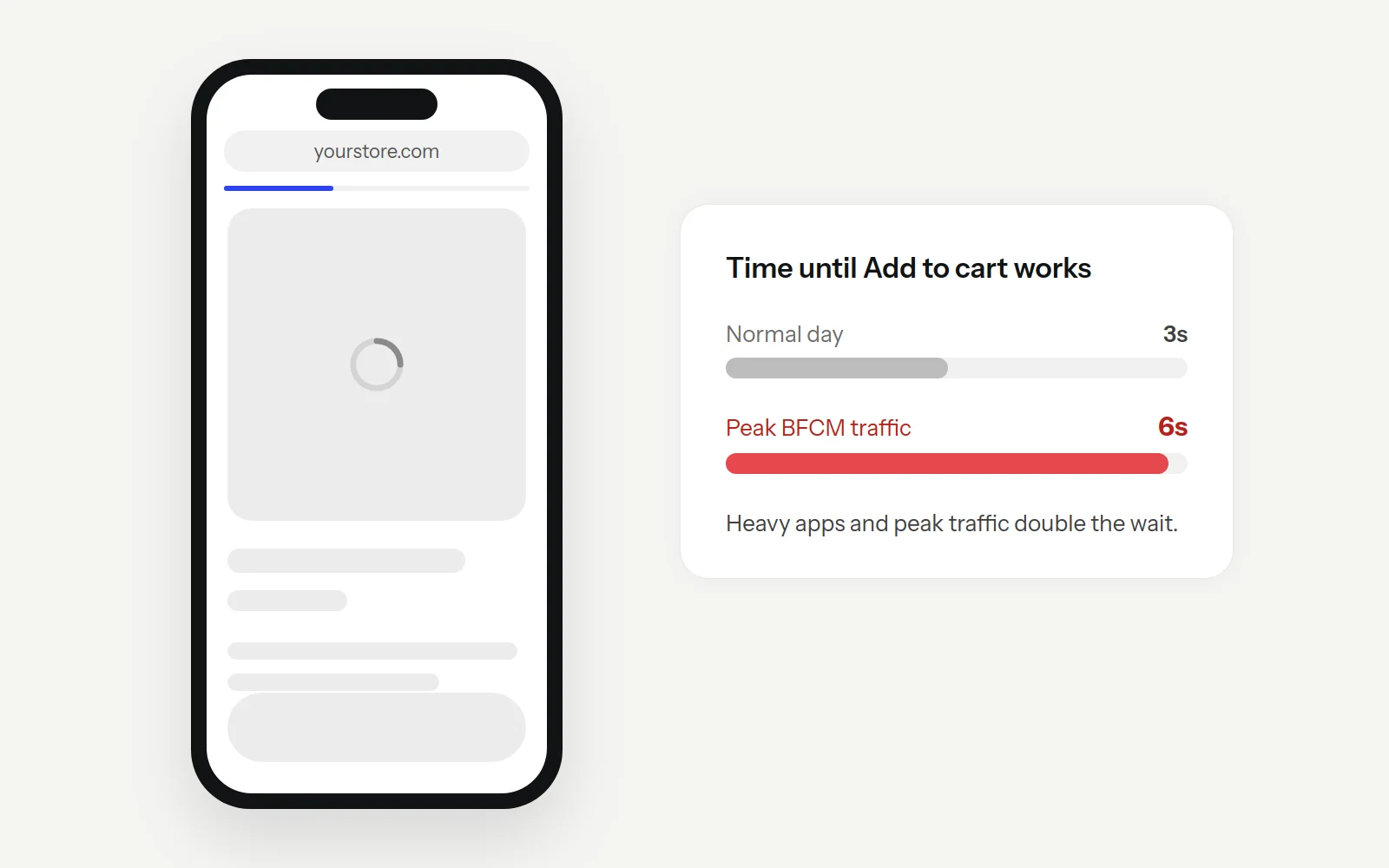
The page loads, slowly.
Peak traffic and heavy apps turn a 3-second page into a 6-second one.
Quick test:
Open your best-selling product on your phone, on mobile data. Count the seconds until you can tap Add to cart.
Black Friday starts in
Black Friday starts in
BFCM is live · ends Cyber Monday, Nov 30
BFCM brings more shoppers to your Shopify store than any other week. Make sure nothing on your site stops them from buying.
Free guide · 70-point checklist · Works with any theme and any apps
BFCM 2025 was the biggest Shopify has seen. Here's what those four days looked like.
$14.6B
Sales by Shopify merchants over BFCM 2025, up 27% on 2024.
Source: Shopify
81M+
Shoppers who bought from Shopify brands that weekend.
Source: Shopify
$5.1M
Peak sales per minute, at 12:01 PM ET on Black Friday.
Source: Shopify
57.5%
Share of US online sales on Cyber Monday that came from a phone.
Source: Adobe
More traffic doesn't fix a store that doesn't convert. It just makes the leak bigger.
Sources: Shopify, BFCM 2025 data; Adobe Analytics, Cyber Monday 2025.
Four places most stores lose buyers during peak week. Each one has a test you can run on your own store in two minutes.
Leak 1
Peak traffic and heavy apps turn a 3-second page into a 6-second one.
Quick test:
Open your best-selling product on your phone, on mobile data. Count the seconds until you can tap Add to cart.
Leak 2
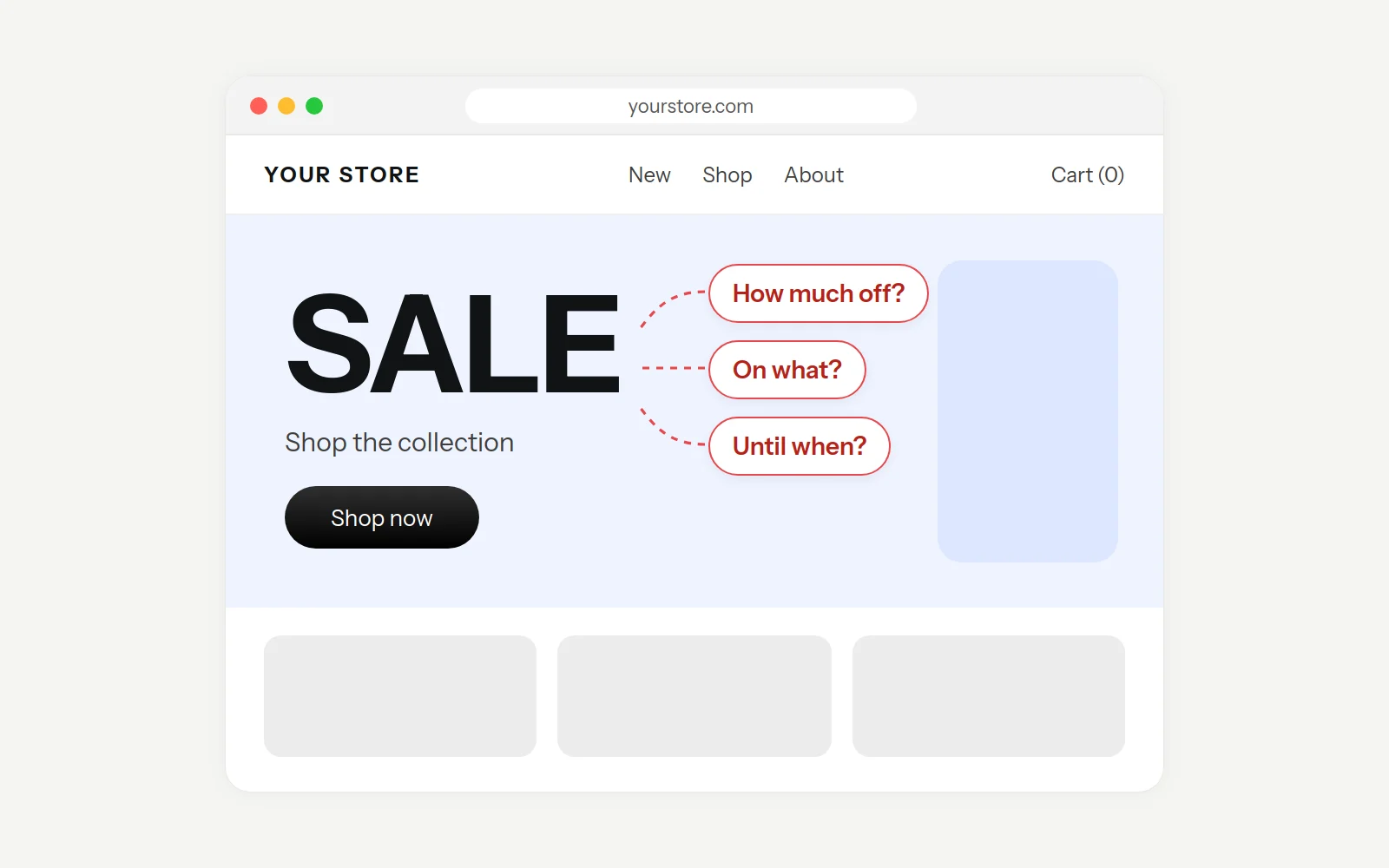
Shoppers can't see what's on sale, by how much, or until when.
Quick test:
Show someone your home page for 5 seconds. Ask them what the deal is and when it ends.
Leak 3
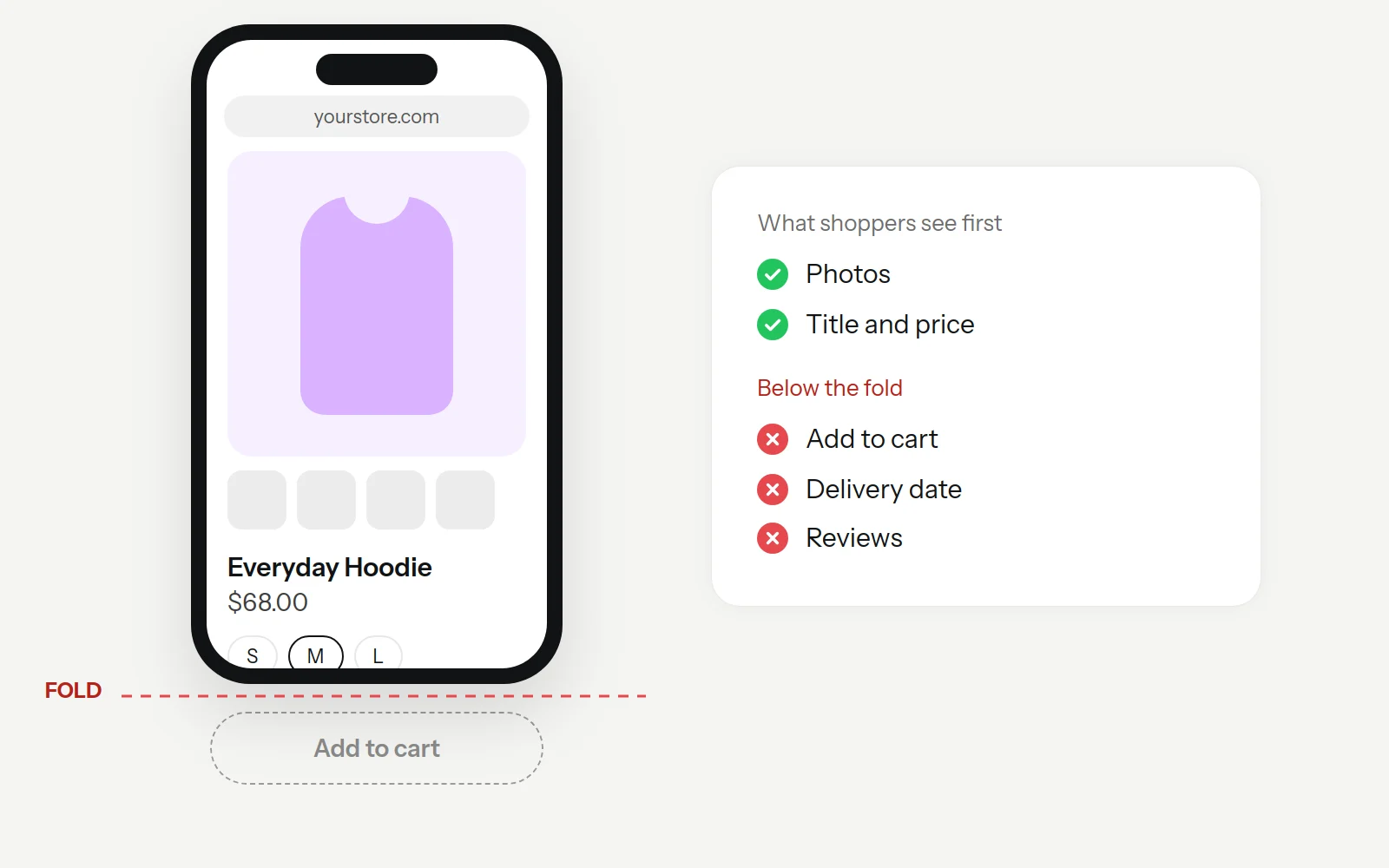
Add to cart sits below the fold on mobile, there are no delivery dates, and reviews are hidden.
Quick test:
On your phone, can you see the price, the saving and Add to cart without scrolling?
Leak 4
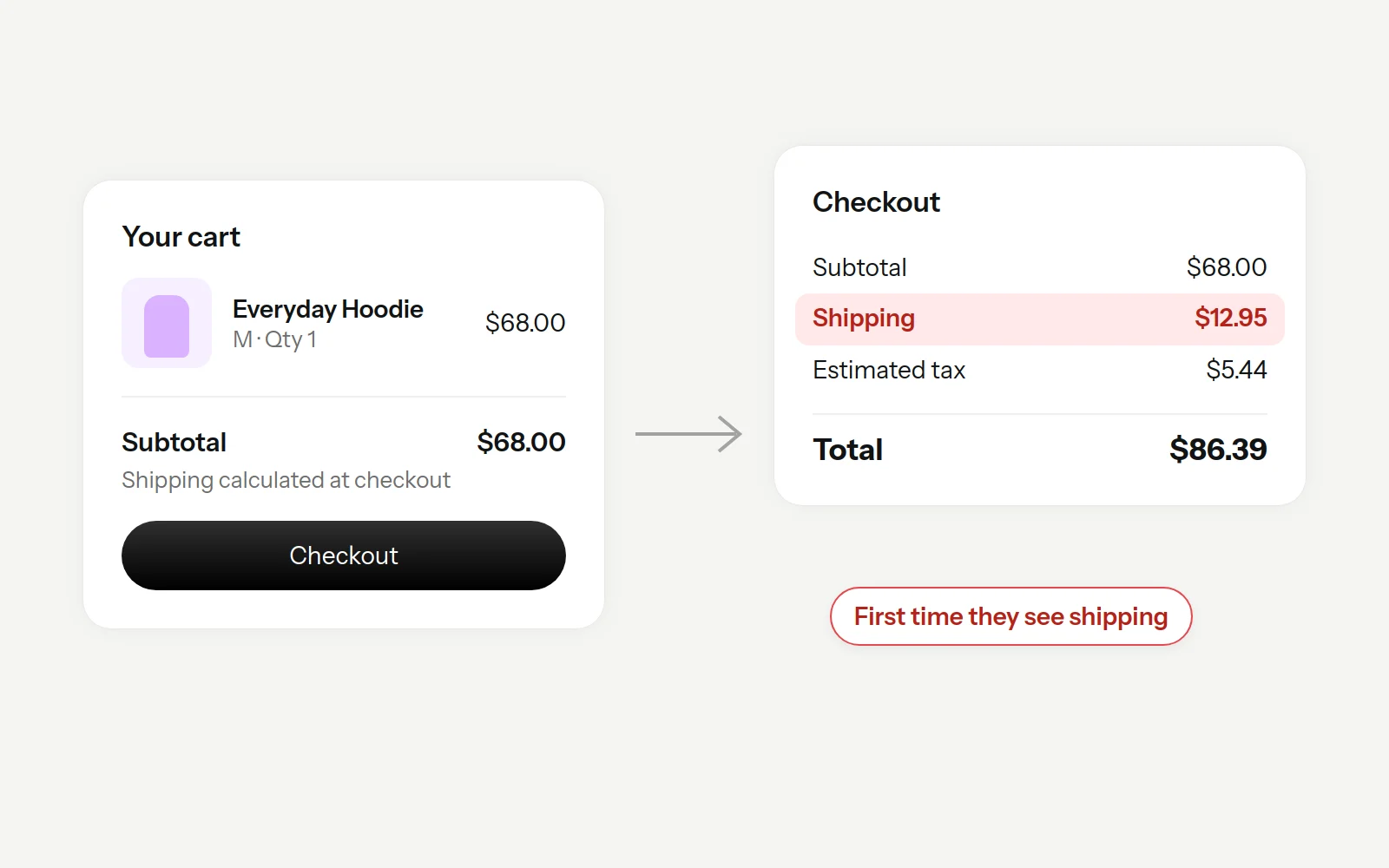
Shipping costs appear late, codes don't stack, and there's no express checkout.
Quick test:
Add one item and go to checkout. Write down every cost that appears after the cart.
Plain fixes any Shopify store can make, with any theme and any apps. Each one shows how long it takes, so you can start with the quick wins.
Tap a fix to see the detailsClick a fix to see the details
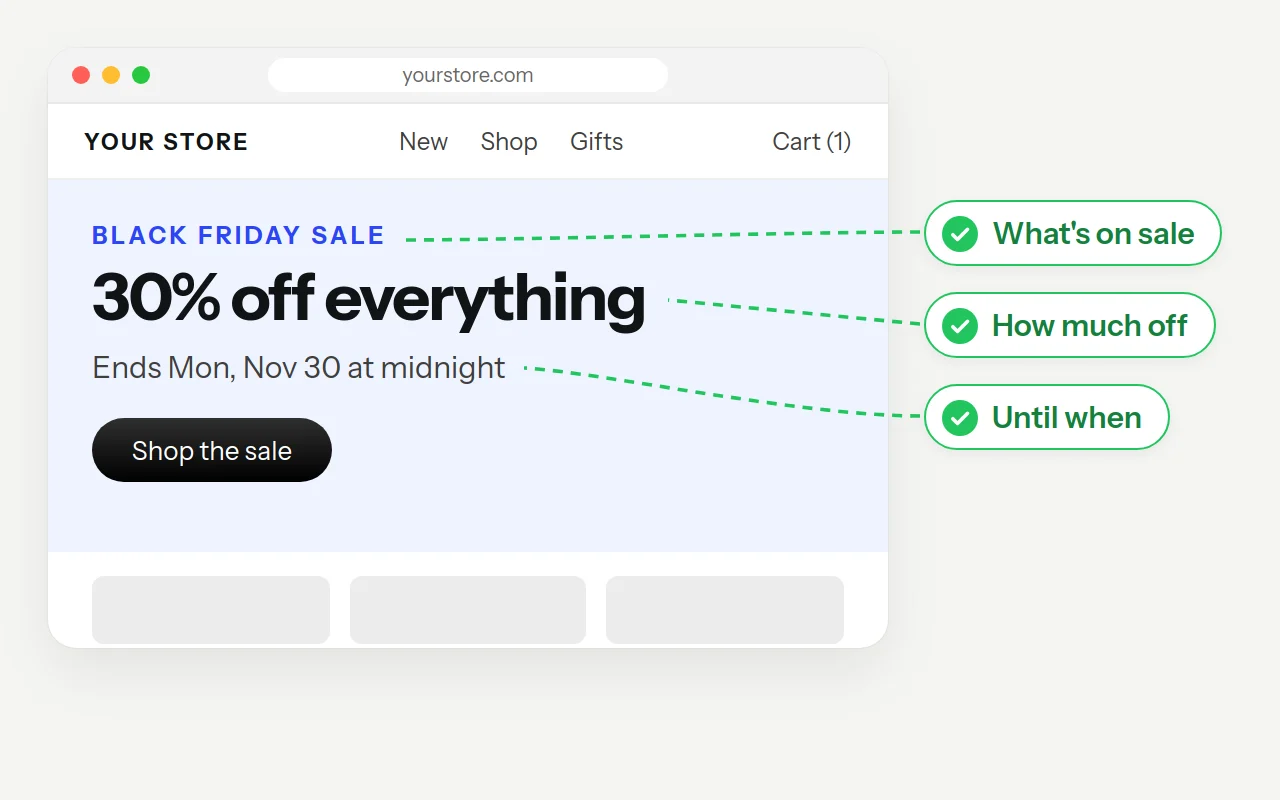
Say what's on sale, how much off and when it ends, in one line above the fold.
Short on time? Have a Shopify expert make these fixes.
Our team can make these changes on your store for you. Tell us which fixes you need, and we'll reply with a plan, a timeline and a quote.
Shopify's built-in discounts cover most of these, so you don't need a new app. Pick one or two, not all six.
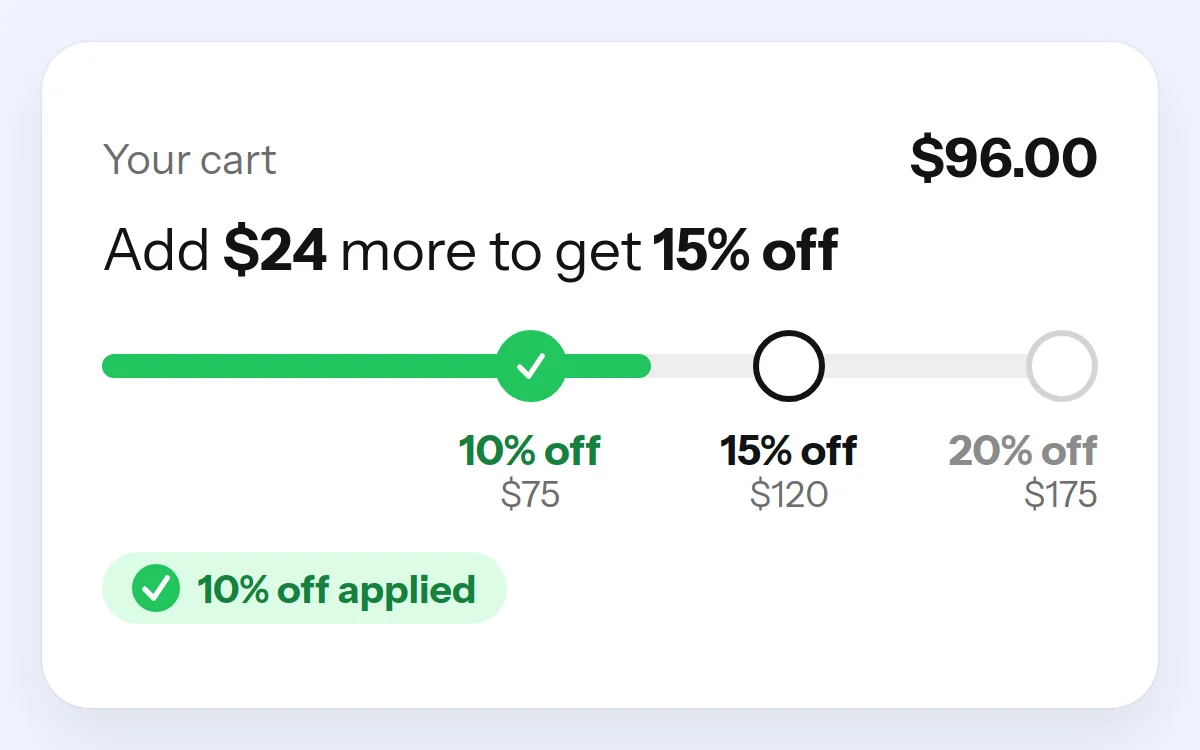 Spend more, save more.
When to use it: Your average order is low and you have products that go well together. For example: 10% off $75, 15% off $120, 20% off $175.
Watch your margin:
Set the top tier where your margin can still take it. Most orders land on the first tier.
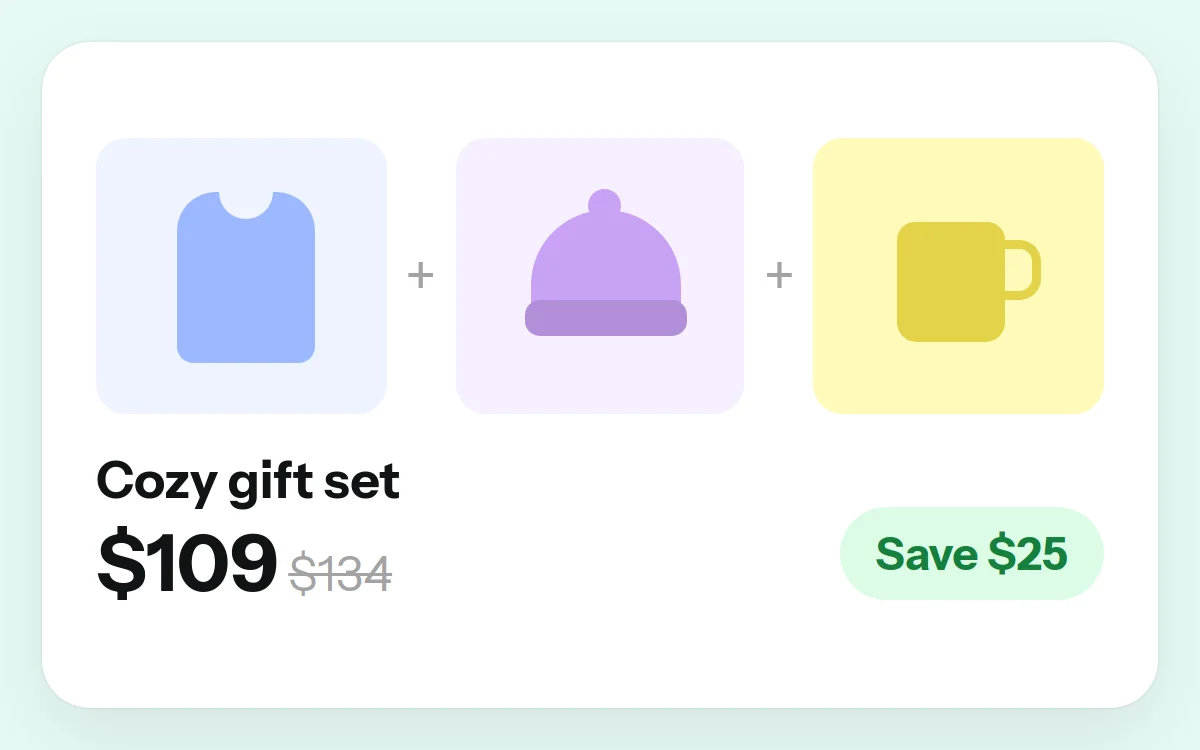 Sell the set, not the item.
When to use it: People already buy certain products together, or buy them as gifts.
Watch your margin:
Price the bundle against the full price of its items, and leave out best-sellers you'd sell at full price anyway.
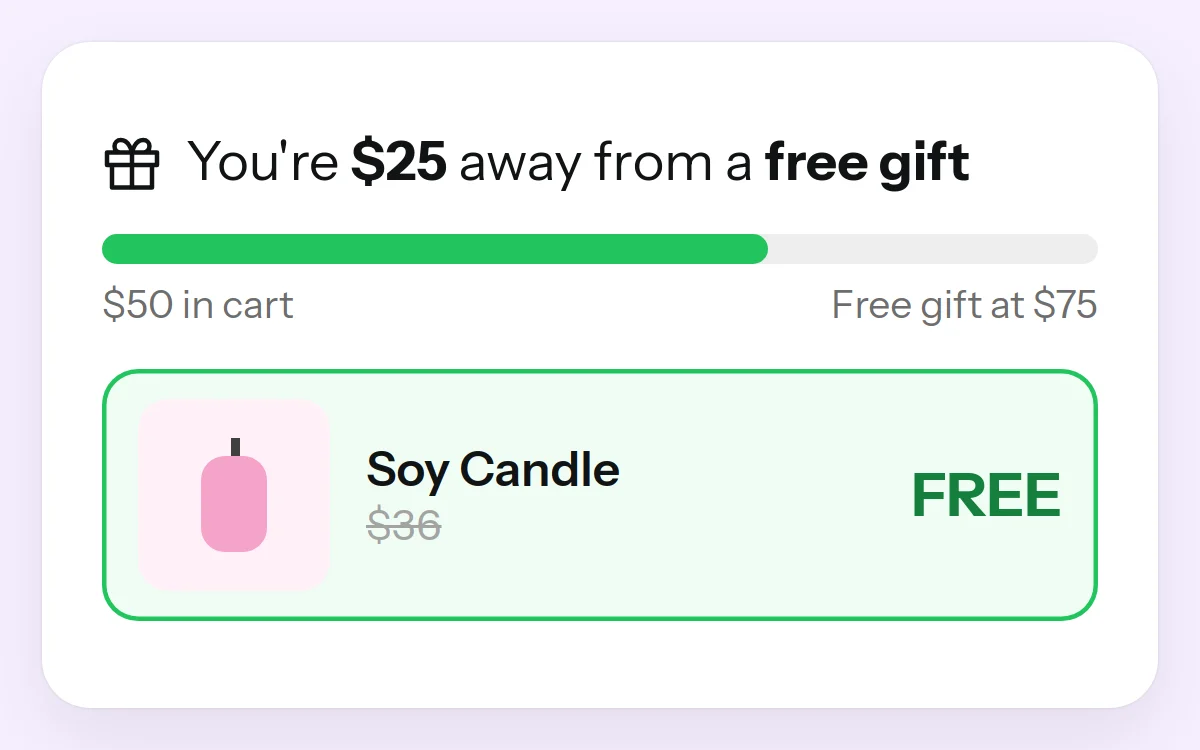 Spend $X, get Y free.
When to use it: You have a low-cost item that feels valuable: a sample, an accessory, a mini size.
Watch your margin:
Count the gift's cost and the extra shipping weight in your margin.
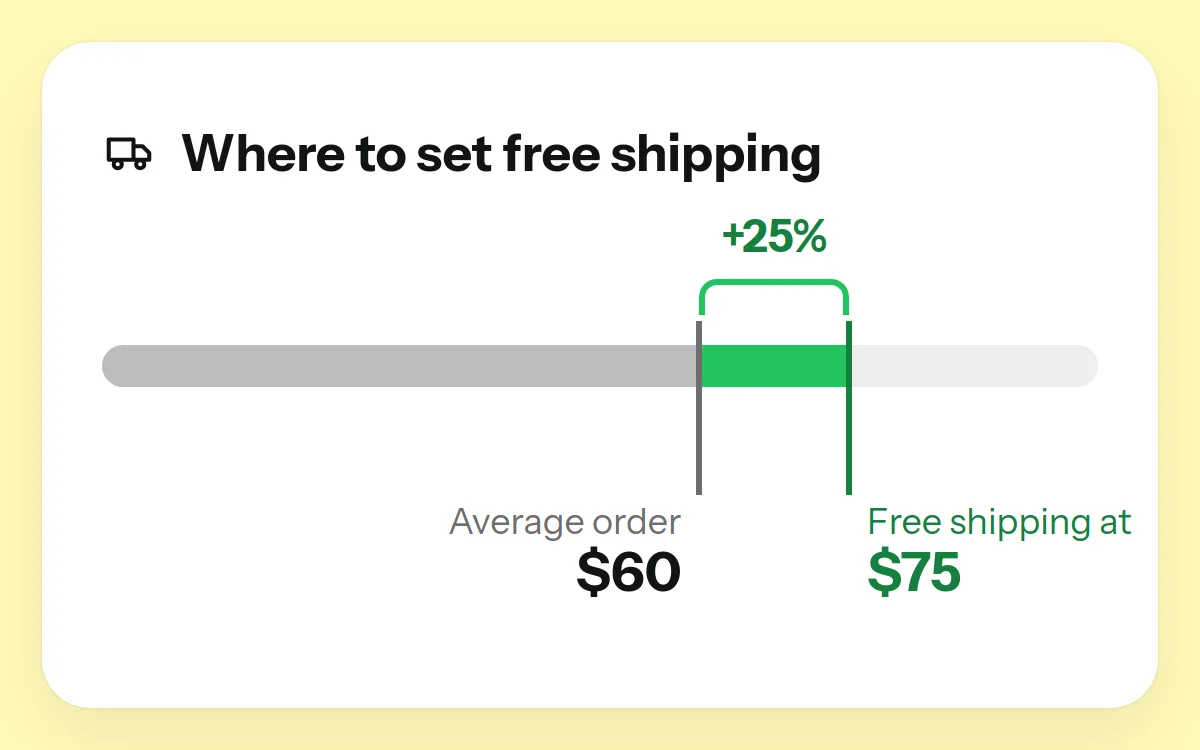 Nudge every cart up a little.
When to use it: Shipping is a big part of the price. Set the threshold 15–30% above your average order value.
Watch your margin:
Check what a typical order at that threshold costs you to ship.
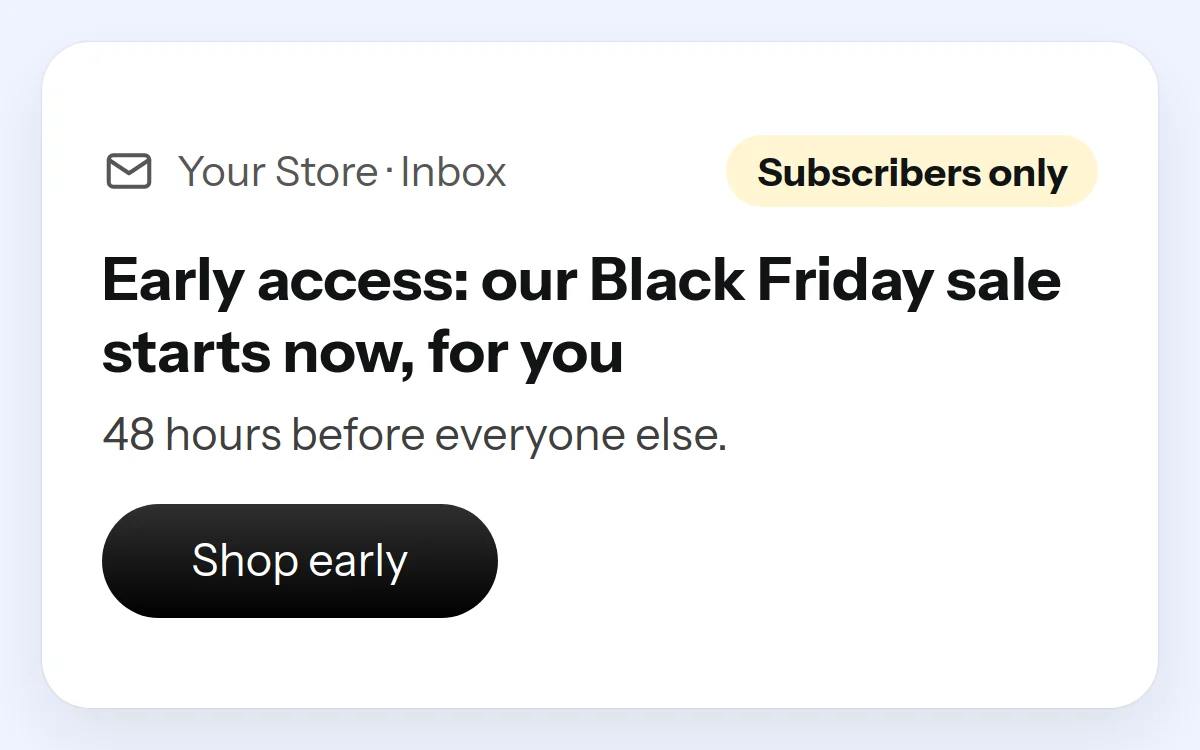 Reward the people who signed up.
When to use it: You have a list. Open the sale to subscribers 24–48 hours before everyone else.
Watch your margin:
Early access is the reward. It doesn't need a deeper discount on top.
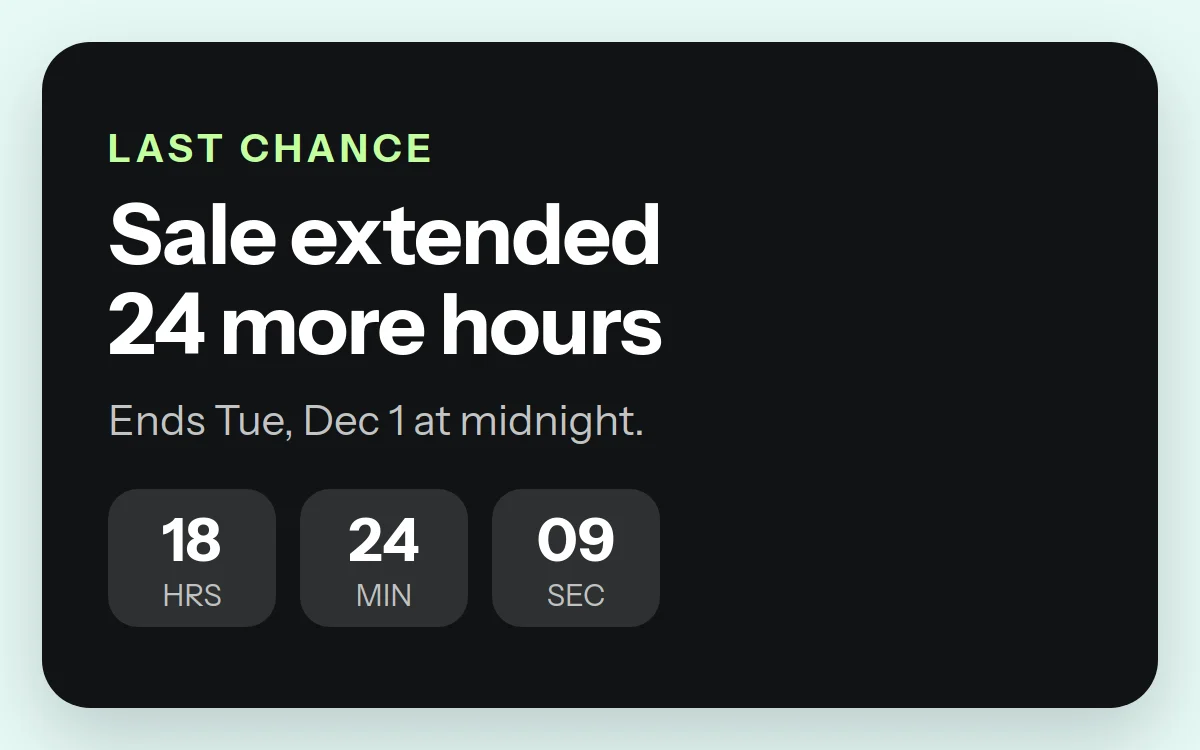 One more day, said once.
When to use it: Your Black Friday sale ends on Monday. Extend it by 24 hours for people who looked but didn't buy.
Watch your margin:
Extend once and mean it. Repeated extensions teach shoppers to wait.
Need help setting up your BFCM offers?
A Shopify expert can set up your discounts, bundles and free-shipping threshold, and check each one against your margin.
Here's a peek. Get all 70 checks as a free PDF, ready to print or share with your team or developer.
The BFCM 2026 Fix-It Checklist
70 checks · 9 sections
Get the full checklist PDF
All 70 checks in one free PDF, sent to your inbox. Print it or share it with your team, and work through it before Nov 16.
A free, pre-recorded session from our CRO team on what to fix before Black Friday, page by page. Watch it whenever suits you.
The session
The BFCM Prep Session
Watch it this week, so you have time to make changes before Mon, Nov 16.
We're also hosting a live webinar on Thu, Nov 5. Sign up and we'll email you the details.
Your hosts

Felix Josemon
Founder, FixMyStore.com

Arjun M
Head of Agency, ConversionAB

Aysha Shaba
UI/UX Designer, ConversionAB
Get the free session
Free. We'll email you the link.
Written by the FixMyStore team. We work on Shopify stores every BFCM season, and this is the list we check first. FixMyStore is part of ConversionAB.
Updated
Shopify brands we've worked with

















Black Friday is Friday, Nov 27, 2026, and Cyber Monday is Monday, Nov 30. Thanksgiving is Thursday, Nov 26. Most stores run their sales across those five days, and many start earlier.
No. Make your big changes by Mon, Nov 16, then spend the last days before Black Friday testing. Start with the 15-minute fixes this week, and book any developer work now.
Fix what every visitor sees: the offer in your home page hero, add to cart on mobile product pages, and surprise costs in the cart. Those three leaks cost the most sales. Then work on speed.
Not for most of it. 16 of the 20 fixes take 15 minutes to an hour in your Shopify admin or theme editor. App code clean-up, script delays and mobile add-to-cart changes usually need a developer, so book that work early.
Pick your offers and check margins, clean up apps and speed, fix mobile product pages and the cart, build a BFCM deals collection, then stop big changes on Nov 16 and test everything on a phone. The free 70-point checklist covers it step by step.
Go through your store on your phone the way a shopper would: home page, a collection, a product page, the cart and checkout. Check that the offer is clear, Add to cart shows without scrolling, every cost appears before checkout and pages load fast on mobile data. The free 70-point BFCM checklist covers every check, page by page.
Keep it simple. Pick one or two offers your margin can carry, fix the pages every shopper sees (home page, product pages and cart), make the store fast on mobile, and give your email list early access. Then stop big changes by Mon, Nov 16 and test everything.
The ones your margin can carry. Tiered discounts and bundles raise order value, a free-shipping threshold just above your average order works for most stores, and early access rewards your email list.
Often, yes. Each app can add scripts that load on every page, and uninstalled apps can leave code behind. Remove what you don't use, and delay chat and pop-up scripts so the product loads first.
Keep add to cart visible without scrolling, show the saving in money and %, add an "arrives by" date, and put reviews next to the price. Then test it on your own phone, on mobile data.
Work through the 70-point checklist, or join our free BFCM prep webinar.